
How to build
From a blueprint on your screen to a build in your world. Start with our cabin, set up a separate Java instance, then follow ghost blocks or paste the whole building.
Guides by topic
Seven short guides: set up the mods, load a hologram, paste a schematic, understand the file formats and fix the usual failures.
Choose your build method
| Method | What you need | What happens in game |
|---|---|---|
| Web blueprint | The build page and a Java world | Read each layer and place the blocks yourself. No mod is needed to view the plans. |
| Litematica | Fabric, Litematica and MaLiLib | A translucent blueprint marks where the real blocks belong. You still place the blocks. |
| WorldEdit | WorldEdit and permission to use its commands | Load a .schem file and paste the building into the world. Try this in a new creative world first. |
Start with Mossglen Cabin
Use the same files as our recorded test: an 11 × 14 footprint, 12 blocks high, 589 occupied cells and 587 placement items.
Our actual game test
One fixed cabin was checked in a local Java 26.3 singleplayer world on 1 November 2026. These are the results of that recorded run.
- Whole-building import: 589 non-air cells. A WorldEdit export had zero missing cells, zero extra cells and zero block-state differences from the original model.
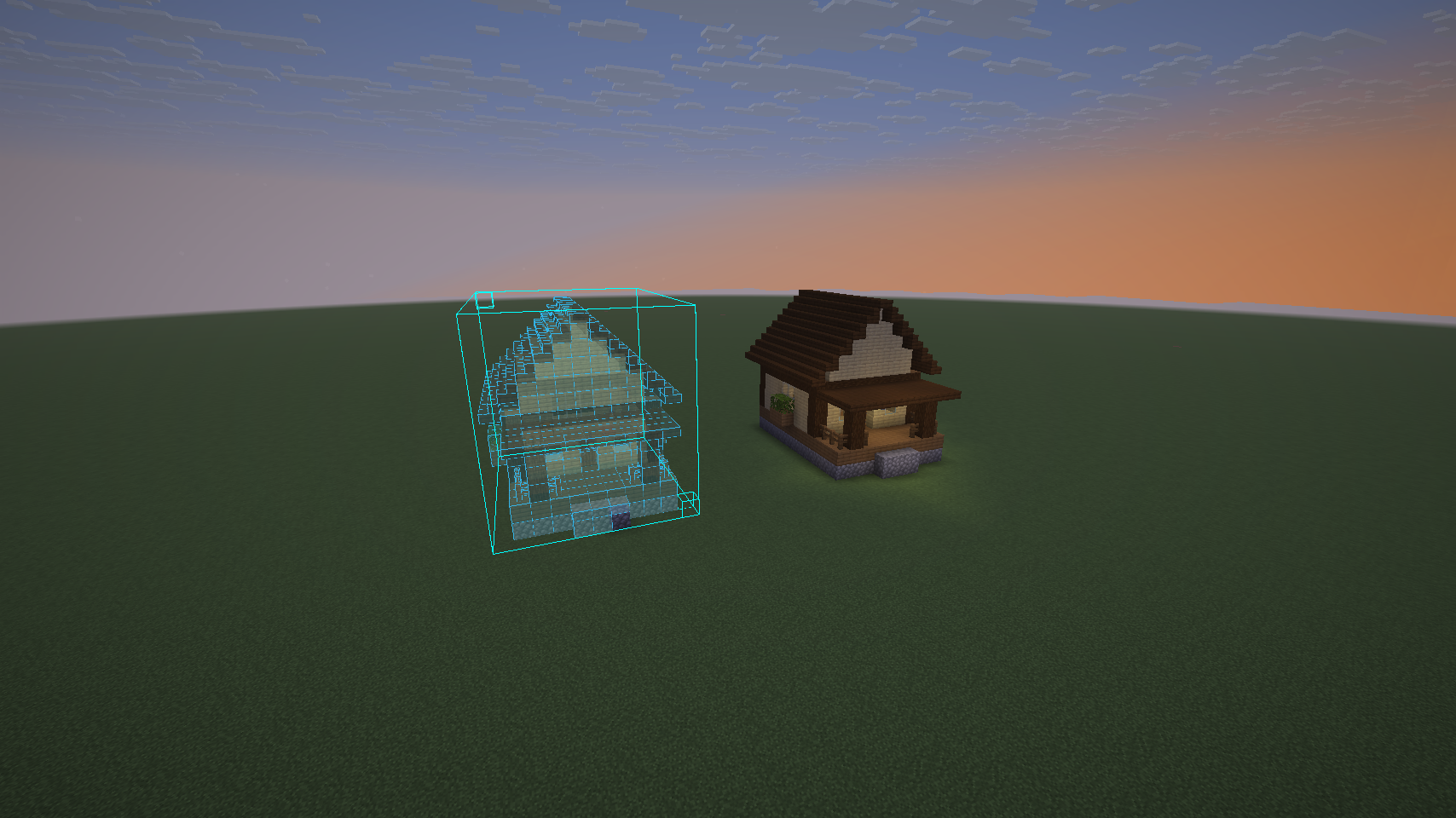
- Ghost-block building: the .litematic rendered, its list showed 587 items, single-layer changes were visible, and one real cobblestone was placed by right click.
- Not yet established: a full survival rebuild, material-progress refresh, Java 1.20.1 itself, multiplayer permissions, other builds, or farm operation and output. The NBT and datapack options were not imported in that run.
Reopen the saved test
On the machine where the test was made, select Blueprints-Mod-Test-26.3 in HMCL and open Blueprints Import Test. It was saved with the solid cabin, neighbouring hologram, one guided cobblestone and all-layer rendering. Other visitors can reproduce the setup above; this website does not distribute that game instance or a launcher script.
Shortcuts in our test instance
We remapped M to the main menu, L to materials, P to placement settings, Home to layer mode, End to player-height layer and Page Up/Down to layer changes. These describe that saved test instance, not universal defaults.
Downloads & references
The launcher and mod links go to their own projects. Install instructions were checked against HMCL, Fabric, Litematica and WorldEdit documentation; the screenshots and numeric results come from our recorded local game test.