
Minecraft Rust Edition (Horizon)
Minecraft Rust Edition usually means Horizon: an unofficial, open-source rewrite of Minecraft Java 26.3 in Rust. It is a separate client and server, and requires your own copy of Java Edition.
Install Horizon, step by step
Download and install Horizon
macOS
Open the DMG for your chip, copy Horizon to Applications, then open it. This installation was checked on our Mac.
Windows
Run the installer, then open Horizon. Windows installation has not been tested locally.
Linux
Make the AppImage executable, then run it. Linux installation has not been tested locally.
Launcher 0.2.63 release and checksums
If macOS blocks opening the app, verify its source and follow the project's installation instructions. Install and first launch
What to check: Horizon opens as a separate launcher. Your normal Java installation is still separate.
Sign in with an account that owns Java Edition
At Microsoft sign-in, choose Open link and finish the Microsoft device-login flow in your browser. Check the app named in Microsoft’s confirmation. You need an account that owns Minecraft: Java Edition. Return to Horizon after signing in; keep account details and the temporary sign-in code out of shared recordings.
The steps above use the original launcher. Resource preparation for the separate native client is explained below.
What to check: Horizon recognizes the account’s Java Edition ownership and allows the setup to continue.
Let the launcher prepare the game
The project’s installation guide describes a one-time preparation from Minecraft Java 26.3. The current sign-in screen also offers to download Minecraft from Mojang for your account. If using an existing installation, point Horizon at that launcher’s actual game folder. Preparation needs a Java 25 JDK; the launcher can obtain its managed runtime. Wait for preparation to finish before pressing Play.
What to check: The launcher reports that preparation is complete and the game can start. A download finishing is only part of this step.
Start a separate test world
Start Horizon and create a new creative world before opening a valuable save. Note the Nightly date and commit shown by the game. For an existing Java world, copy a backup into Horizon’s saves folder, open that copy and inspect it before continuing to play. The folders below are the project’s documented defaults.
macOS:   ~/Library/Application Support/horizon/saves/
Windows: %APPDATA%\horizon\saves\
Linux:   ~/.local/share/horizon/saves/
What to check: The new world loads, movement and block placement work, and the game’s exact version is recorded.
Prepare resources and start the native client
For the native client, use horizon-prepare with the Minecraft 26.3 files, Mojang's original version manifest and matching server JAR. Start horizon-client with a separate test-world folder after preparation completes.
The Nightly 9f42064 client loaded a local world, saved and reopened it, and accepted movement and jumping.
Advanced macOS path, checked only on Nightly 9f42064: obtain the original game archive for your Mac architecture and extract it into a writable folder. It must contain horizon-client, horizon-prepare and the shipped supporting files. Open Terminal in that folder; keep the package together. The project's nightly download is a rolling release, so a later download may differ from this tested build.
Original Nightly downloads (rolling release)Use the real Minecraft 26.3 game folder from HMCL or another existing installation. Download the original Mojang manifest and matching server JAR below. Replace every /path/to/... value in this example with your actual absolute path. Java 25 with the package's exporter support is required. Our HMCL-rewritten manifest was rejected, so use the original JSON, not a launcher-modified one. Wait until preparation finishes successfully.
26.3 JSON · 26.3 server.jar./horizon-prepare --prepare --root "$PWD" \ --minecraft-dir "/path/to/your/Minecraft-folder" \ --version-json "/path/to/26.3-original.json" \ --server-jar "/path/to/26.3-server.jar" \ --java-home "/path/to/Java-25-home"From the same package folder, start the native client with separate game and launcher folders. The example disables audio for a silent test. Finish resource preparation before running it.
HORIZON_HOME="$PWD/local-test" \
HORIZON_LAUNCHER_HOME="$PWD/local-launcher-test" \
HORIZON_NO_AUDIO=1 HORIZON_NO_DISCORD=1 \
./horizon-client --resources "$PWD/.local/horizon-client/26.3" \
  --game-dir "$PWD/local-test" --home "$PWD/local-test"
At the title screen, create a new creative test world. Check movement, save and quit, then run the same command again and reopen that world. This is the standalone native client; HMCL supplies existing files and is not launching a Java profile for Horizon.
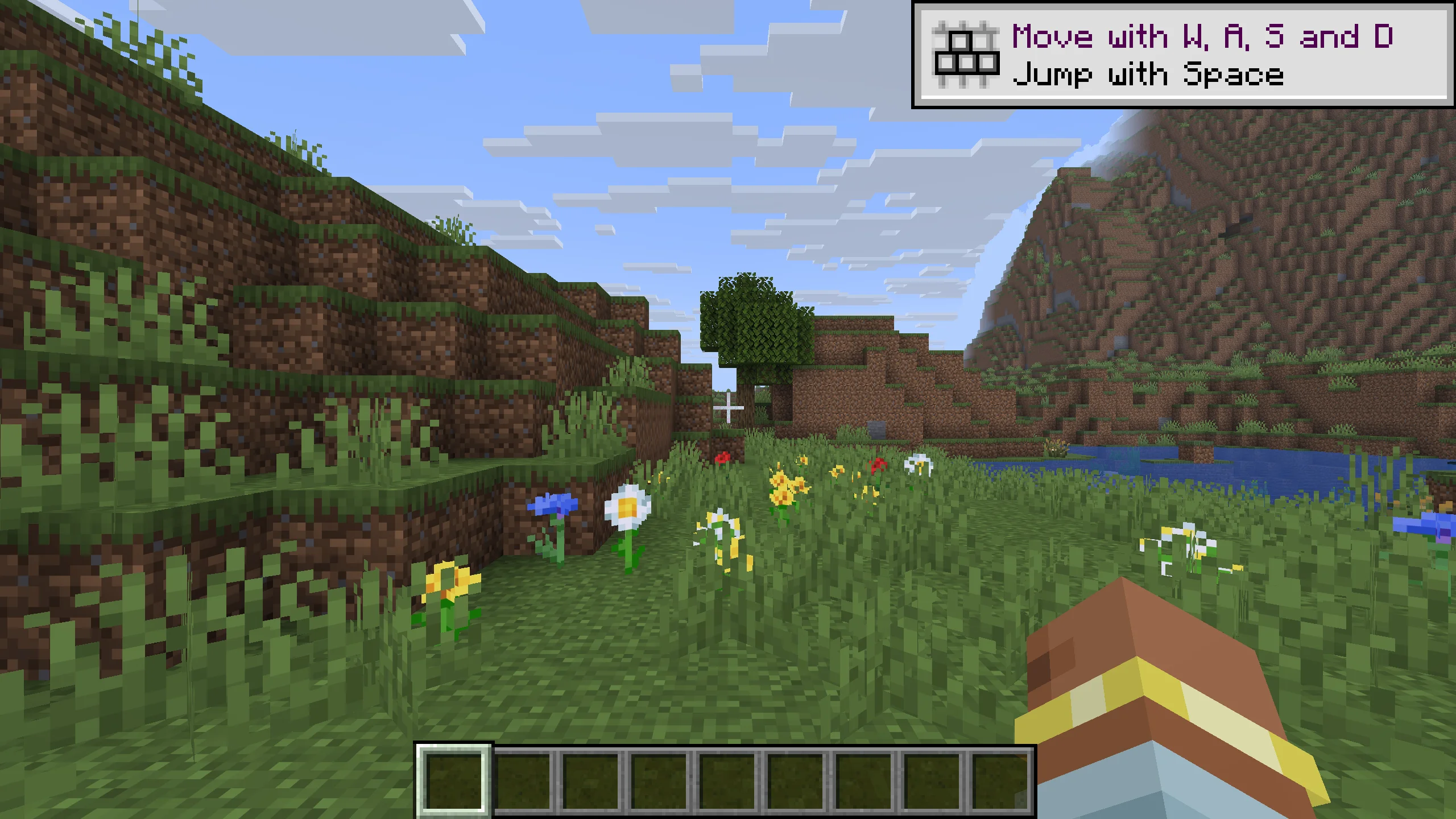
The native game package needs Minecraft game resources prepared separately; they are not included in the download.
Will Litematica and your blueprints work?
Horizon’s FAQ says Java mod JARs for Fabric, Forge and NeoForge do not run directly. A Java Litematica or WorldEdit installation therefore does not carry across as a working mod. Horizon has its own mod system; that is a separate compatibility question for each mod.
Project FAQ: ownership, worlds and Java mods
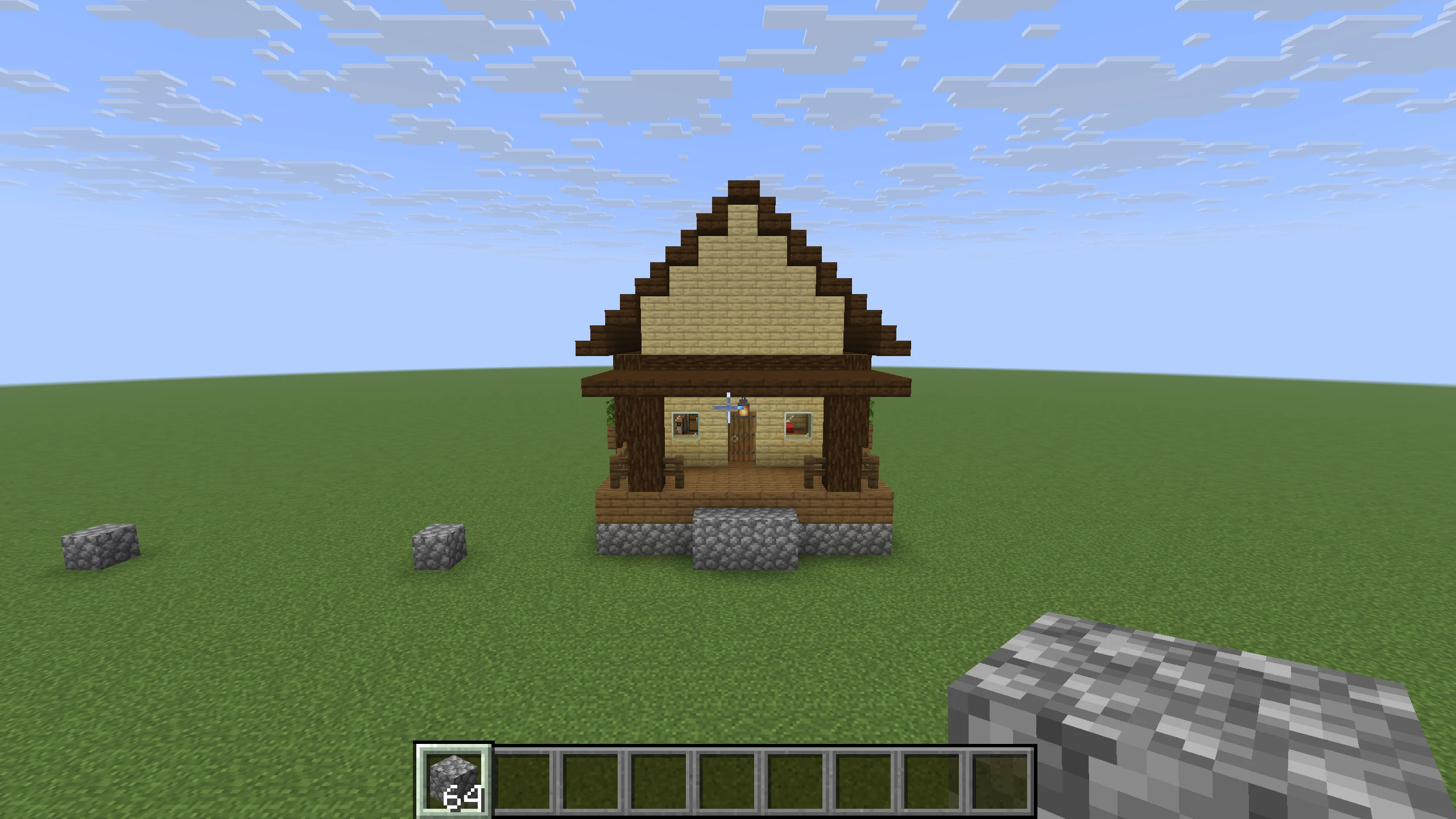
We opened a copy of our Java 26.3 cabin test world in Horizon Nightly 9f42064. All 589 occupied blocks matched the published cabin model at (0, -60, 0), with no missing, extra or changed block states inside the 11 × 12 × 14 selection. A cobblestone placement outside the cabin also succeeded; hashes confirmed that the original Java save stayed unchanged. This is one copied-world test, not a direct .litematic/.schem import test or general mod/farm compatibility.
Performance: first M1 Pro measurements
Completed: three fresh-world runs each for Horizon, Java 26.3, and Java 26.3 with performance mods. These preliminary desktop results cover two short paths; they do not establish a general speedup.
Horizon and Java: the same scenes

In these short runs, Horizon used less resident memory and reached the world sooner. Average FPS varied widely, and its 1% lows were below the Java baselines. This does not establish a consistent FPS or smoothness advantage.
Preliminary measurements: two short paths at 8 chunks, three sequential runs per client. Client batches were not interleaved, so run-to-run variation remains a limitation. Equal settings do not establish equal rendering features; results do not cover other platforms or worlds.
Mean FPS1% low FPS
Values below are the mean across three fresh-world runs, with minimum–maximum in brackets. World time starts at process launch. RSS is whole-process resident memory during flight, not the Java heap limit or dedicated GPU memory.
| Client / backend | Title screen | Ready in world | Flight RSS |
|---|---|---|---|
| Horizon Nightly 9f42064 metal | 1.4 (1.2–1.7) s | 3.8 (3.2–4.3) s | 1020.3 (995.0–1043.9) MiB |
| Java 26.3 + Fabric driver opengl | 10.9 (10.0–11.7) s | 19.4 (18.1–20.9) s | 1852.1 (1840.8–1861.4) MiB |
| Java 26.3 + performance mods opengl | 11.8 (11.4–12.4) s | 20.2 (19.7–21.0) s | 1862.1 (1822.9–1923.6) MiB |
Download the checked results and per-flight summaries (JSON)
Benchmark platform: Apple Silicon (M1 Pro). These results cover this platform only.
Tested Horizon Nightly 9f42064, Java 26.3, and Java 26.3 with Sodium 0.9.2, Lithium 0.26.2, FerriteCore 9.0.0 and ImmediatelyFast 1.17.1. Both Java groups used Temurin 25.0.5+8, a 2 GiB maximum heap, Fabric Loader 0.19.5 and the upstream control mod. The optimized group also loaded Fabric API 0.161.0. Startup includes Fabric/driver overhead. Version locks and hashes are in the download.
Matched settings: actual 1920 × 1080 framebuffer, render distance 8, simulation distance 12, seed 1234 and VSync off. Each fresh world followed the same 192-block village and forest paths for 12 seconds after 2 seconds settling, repeated three times. Horizon used Metal; Java used OpenGL. Recording was separate from timed runs.
Charts show the mean of each run's average FPS and 1% low; ranges show the smallest and largest run averages. A 1% low converts the mean frame time of the slowest 1% of frames back to FPS. The downloadable report includes per-flight summaries, histograms, standard deviations and 95% confidence intervals; not all individual frame samples were retained by the upstream helper. Resource preparation is outside startup timing.
Reproduce the project’s benchmark method
Horizon-only benchmark, after the game is installed and prepared:
horizon-launcher play --arg=--benchmark --arg=standardThe project says this creates its own horizon-benchmark world and writes a local JSON report. It does not compare Java by itself. Leave benchmark uploads off unless you choose to share the report.
Where the benchmark report goes
macOS:   ~/Library/Application Support/horizon/benchmarks/
Windows: %APPDATA%\horizon\benchmarks\
Linux:   ~/.local/share/horizon/benchmarks/
Project sources and tested scope
Installation, resource preparation, local single-player entry and the labeled M1 Pro measurements are local observations. The regular launcher's account requirements and Windows/Linux installation steps come from project documentation. The measurements do not establish compatibility with Java mods or general world/farm behavior.
If something does not work
No. Horizon is not a Mojang or Microsoft release. “Rust Edition” is a community nickname also used by forks. The original Horizon repository is horizon-rust/horizon.
Horizon is free and open source. Its launcher requires a Microsoft account that owns Minecraft Java Edition; game resources are prepared from Java Edition.
Java mod JARs do not run directly in Horizon, according to its FAQ. Use a matching Java/Fabric instance for the Litematica workflow on this site. Native Horizon mods require their own compatibility checks.
No. Our three-run M1 Pro comparison found lower resident memory and faster world entry for Horizon, but wide FPS variation and lower 1% lows than Java with performance mods. It covers two short paths at 8 chunks under these settings, not all computers or worlds.
The project says it reads Java saves. In our copied Java 26.3 test world, all 589 occupied cabin block states matched the published model in Horizon Nightly 9f42064, and one placement outside it succeeded. Keep backups; this does not establish compatibility with other worlds, mods or farms.